
Owners & Managers · 05 of 11
Record a sale in your POS
Caratwise doesn't connect to your POS. Record each sale as a special order.
Record each Caratwise sale in your point-of-sale (POS) system as a special order, like any made-to-order piece.
Placing an order doesn’t charge your customer
Section titled “Placing an order doesn’t charge your customer”Caratwise takes no payment from your customer. Take payment as you normally do, such as a deposit at the counter and the balance at collection.
Record the sale
Section titled “Record the sale”- Place the order in the in-store app. See Place an order.
- Open the order confirmation email. It goes to your designated contacts as soon as the order is placed and shows the retail price, the price your customer pays.
- Key the sale into your POS as a special order at that retail price. Add the item description, the customer’s name and the Caratwise order number.
- Take your customer’s payment.
- Approve the purchase order by replying to it. Optionally add your POS order number so the order is easy to find in both systems. See Approve and pay for an order.
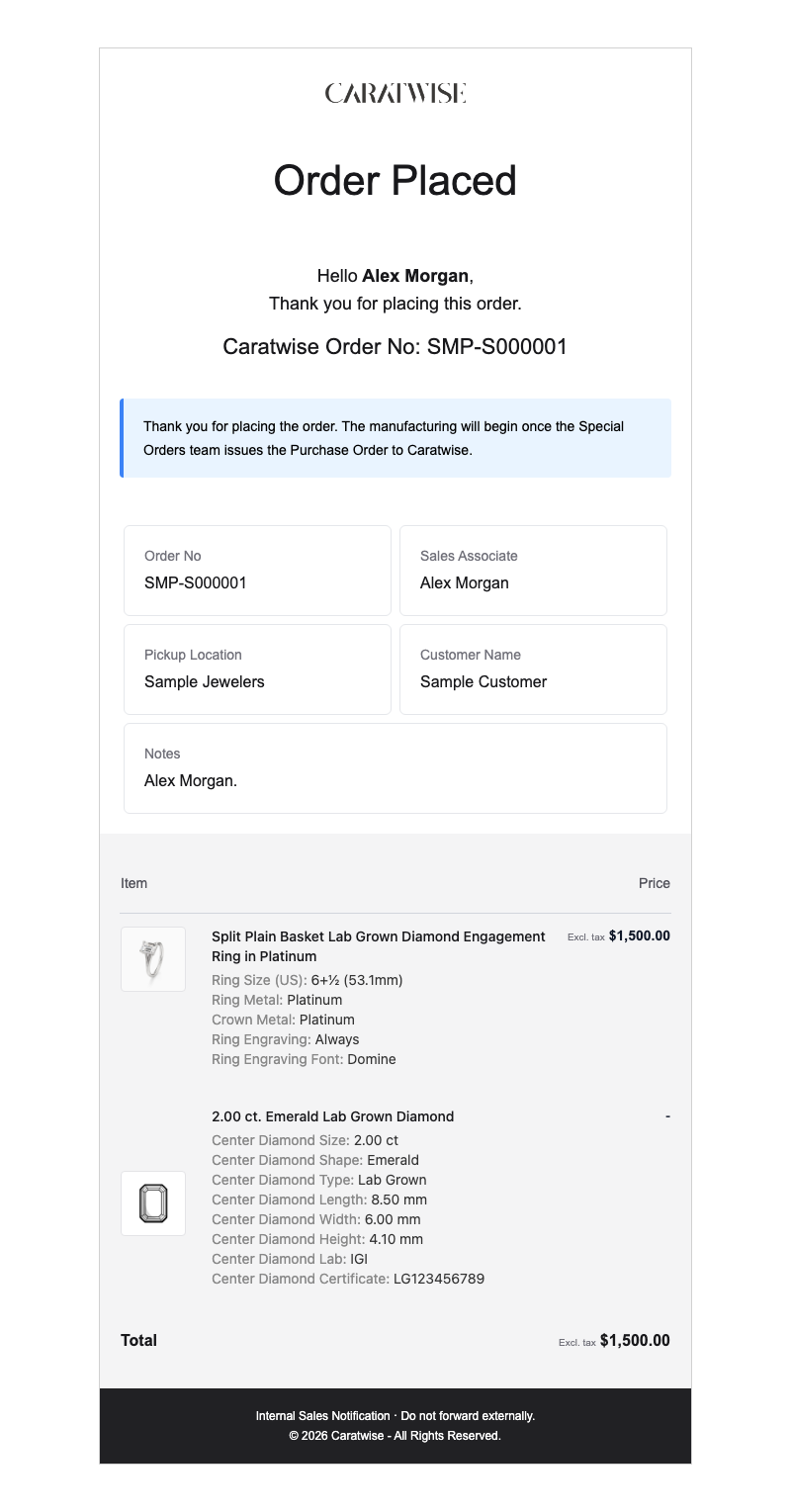
The order confirmation shows the retail price and the Caratwise order number.
- Use the order confirmation, not the purchase order. The purchase order shows your wholesale cost, not your customer’s price.
- Keep the Caratwise order number with the sale. It’s the fastest way to answer “Where’s my ring?” and to follow up with Caratwise.
Questions? Email info@caratwise.com